





|
|
|
|
 |
 
|

|
BMW Garage | BMW Meets | Register | Today's Posts | Search |

|

|
BMW 3-Series (E90 E92) Forum
>
New Dynavin N6 product sounds encouraging
|
 |
| 07-26-2014, 08:58 PM | #463 |
|
Registered
0
Rep 4
Posts |
Steering wheel controls work, OBC values work, lighting works. I didn't install the camera, so I'm not sure about the assist lines. I don't have any other equipment installed. I checked fuses 5, 20, 22, 35, 65, and 72. 5, 22, & 72 were empty, but they were prior to today also. The ones that were in-place were all good. Battery was not disconnected during install.
Last edited by flight23; 07-26-2014 at 09:18 PM.. |
|
Appreciate
0
|
| 07-26-2014, 09:18 PM | #464 |

101
Rep 952
Posts |
Ok, so everything looks ok on the dynavin end of canbus.....Turn on the camera mode and set it to camera, put the car inreverse and see if the assist lines appear on the screen and if they move when you turn the steering wheel.
Now, how deep did you get in the dash, did you remove any panels, run anything extra? Looking for something that might have been unplugged along the way.... |
|
Appreciate
0
|
| 07-26-2014, 09:31 PM | #465 |
|
Registered
0
Rep 4
Posts |
Even though I did not disconnect the battery, I tried the drive around the block and that seemed to do the trick. I'm just left with the 'No SOS' warning.
Is that something that can be removed with a Bav Tech tool (enthusiast version) or do I need something more? I know jack about coding. I'm willing to try if its reasonably simple. If not, I will just take to my indy shop nearby. Thanks for all your help Jeff. |
|
Appreciate
0
|
| 07-26-2014, 09:44 PM | #466 |
|
101
Rep 952
Posts |
ah.....sometimes the simplest answer is the right one.....If I had to guess I would say you either had the battery temporarily disconnected when you were connecting the power wire OR it ran down enough that the DSC system needed to reinitialize. Glad it wasnt a problem!
Yes the SOS (BMW assist) can be coded out but Im no expert on that front....I leave that to the coding guys.... Last edited by jeffb335; 07-27-2014 at 08:05 AM.. |
|
Appreciate
0
|
| 07-26-2014, 10:12 PM | #467 |
|
101
Rep 952
Posts |
FYI guys....unrelated to the dynavin....
I have met with endless frustration today trying to get a couple brand new sandisk 64GB micro SDXC cards to play nice..... windows insists they are write protected....searching the internet has sent me on countless wild goose chases.... The consensus seems to be these cards have an absurdly high defect rate..... Ill be digging around some more tomorrow but for now Ive had enough of these evil little cards. I was going to write up some stuff about the SD card functionality as I think that will be the most useful of all the sources but not if I cant get this dumb card working with my computer.... FYI, Ive been using the regular 32GB sandisk cards for years without incident..... Edit:.....troubleshooting led me to my USB>SD card adapter that has apparently gone south on me.....replaced and Im back in business. Last edited by jeffb335; 07-27-2014 at 03:51 PM.. |
|
Appreciate
0
|
| 07-27-2014, 07:59 AM | #468 |
|
New Member
9
Rep 27
Posts |
|
|
Appreciate
0
|
| 07-27-2014, 08:03 AM | #469 |
|
101
Rep 952
Posts |
Oh yes....and many other tools....
Thanks for the attempt but don't sweat it. Let's not turn this into an sd card formatting troubleshooting thread....I just wanted to post since I know a lot of guys have been looking at getting that card....and so far I'm 0 for 2. |
|
Appreciate
0
|
| 07-27-2014, 08:17 AM | #470 | |
|
No 55mph

1669
Rep 8,499
Posts |
Quote:
Your choices are to keep the OEM HU installed in parallel somewhere else in the car, or Code it out as you mentioned. Coding cannot be done with the BavTech Tool - you're opening up a whole entire new line of knowledge base in doing your own coding. I'm fairly certain that you can't code this with BMWhat either... Choices are:
I followed the 1st route & have been doing coding since the beginning. As far as I remember you will need to code: Kombi module TCM_ALIVE_MONITOR 'aktiv' TCM_ID_MONITOR 'aktiv' change both to 'nicht_aktiv' We definitely do NOT want to get into a coding discussion in this thread - there's already MANY threads out there & an entire section for coding. Your best bet would be to have someone else local (or someone who can code remotely) or Indy shop do it for you. For anyone else running into the same issue - just use the lines I mentioned above to code out SOS if you know what you're doing, or anyone that actually knows how to code should know already... Before anyone asks - I cannot code remotely, or even locally at this time, because I loaned my cable out to friend in Kansas
__________________
F32 435ix//MGM//M Sport-Prem-Tech-Driver Assist-Lighting-Cold Weather-Dyn Handling Pkgs//M4 Black Lthr Int w/M4 Alum Blade Trim//HK w/Bavsound Stg3//763M//M4 Euro LCI Tails//M4 Mirrors w/CF Covers//AWCarbon CF F/R Spoilers-Side Splitters-Diffuser 6WB/ID6 HU+HUD/IND M4 Alcantara Armrest//PURE S2 Turbo//AA FMIC+DP//ER CP+TIC//3.5bar TMAP/TS DV//AWE Tuning Exh w/Blk Tips//Turner MS CF Intake//BM3 Cary Jordan Tune//MPerf Diff//PrecRW Ignition Kit
Last edited by 1QuikWS6; 07-27-2014 at 08:31 AM.. |
|
|
Appreciate
0
|
| 07-27-2014, 02:56 PM | #471 | |
|
Lieutenant
 

60
Rep 420
Posts |
Quote:
|
|
|
Appreciate
0
|
| 07-27-2014, 03:32 PM | #472 |
|
Lieutenant General
 2438
Rep 14,067
Posts |
BMWHat could probably add the no SOS
BMWHat could probably add the no SOS
if enough people asked for it. You probably will have to find someone with a coding setup to get this done. I doubt and Indy could do it. |
|
Appreciate
0
|
| 07-27-2014, 03:45 PM | #473 | |
|
Captain


67
Rep 743
Posts |
Quote:
Kombi module TCM_ALIVE_MONITOR 'aktiv' TCM_ID_MONITOR 'aktiv' change both to 'nicht_aktiv' I for one would love to be able to do this the easy way with BMWhat myself. |
|
|
Appreciate
0
|
| 07-28-2014, 02:41 AM | #474 |
|
No 55mph
1669
Rep 8,499
Posts |
Just outta curiosity - since you have all the info - how come you don't just email them?

__________________
F32 435ix//MGM//M Sport-Prem-Tech-Driver Assist-Lighting-Cold Weather-Dyn Handling Pkgs//M4 Black Lthr Int w/M4 Alum Blade Trim//HK w/Bavsound Stg3//763M//M4 Euro LCI Tails//M4 Mirrors w/CF Covers//AWCarbon CF F/R Spoilers-Side Splitters-Diffuser 6WB/ID6 HU+HUD/IND M4 Alcantara Armrest//PURE S2 Turbo//AA FMIC+DP//ER CP+TIC//3.5bar TMAP/TS DV//AWE Tuning Exh w/Blk Tips//Turner MS CF Intake//BM3 Cary Jordan Tune//MPerf Diff//PrecRW Ignition Kit
|
|
Appreciate
0
|
| 07-28-2014, 05:30 AM | #475 |
|
No 55mph
1669
Rep 8,499
Posts |
So I don't get my unit till Tuesday since I'm all the way cross the country - do we only have (1) install so far?
__________________
F32 435ix//MGM//M Sport-Prem-Tech-Driver Assist-Lighting-Cold Weather-Dyn Handling Pkgs//M4 Black Lthr Int w/M4 Alum Blade Trim//HK w/Bavsound Stg3//763M//M4 Euro LCI Tails//M4 Mirrors w/CF Covers//AWCarbon CF F/R Spoilers-Side Splitters-Diffuser 6WB/ID6 HU+HUD/IND M4 Alcantara Armrest//PURE S2 Turbo//AA FMIC+DP//ER CP+TIC//3.5bar TMAP/TS DV//AWE Tuning Exh w/Blk Tips//Turner MS CF Intake//BM3 Cary Jordan Tune//MPerf Diff//PrecRW Ignition Kit
|
|
Appreciate
0
|
| 07-28-2014, 10:00 AM | #476 | |
|
Captain
67
Rep 743
Posts |
Quote:
|
|
|
Appreciate
0
|
| 07-28-2014, 10:09 AM | #477 | |
|
101
Rep 952
Posts |
Quote:
|
|
|
Appreciate
0
|
| 07-28-2014, 12:40 PM | #479 |
|
Enlisted Member
 5
Rep 33
Posts |
Dynavin N6 (E90) Unboxing
Warning: Unboxing Photo Post I just received my N6 about an hour ago, and managed to take unboxing photos for those that are into that type of thing. If not, apologies in advance. First impression: I have to say, the packaging is very well done. The Dynavin box itself comes within another larger cardboard box (thanks Jeff for the extra protection!) The Dynavin box is nice, sturdy, and looks nice. The user manual and a large fold-out quickstart guide are on top when you open the box. The user manual is the same one that is available online in PDF form on the Dynavin website. The quickstart guide appears to be picture instructions for removing the stock HU, bracket, relocating buttons and climate controls, etc. It also includes Jeff's install pictures with the trimming of the corner foam piece (see his initial post for details). It also shows power cable hookup to the battery in the trunk, with what appears to be install photos from a previous unit/car model (the battery hookup should be fairly straightforward though, and Jeff has already provided additional instructions regarding an inline fuse, etc). The unit itself sits down into foam to support the unit and frame during shipping. It comes in a plastic bag, with a screen protector film on the screen. There are two boxes on each side of the unit. One contains the magnetic gps antenna, bluetooth microphone, iGo Primo SD card, canbus box, plastic touchscreen stylus pen, and USB extension. The other has the cables and harnesses, as well as the metal brackets to clip the bottom of the unit into place. The MAP and MMC locations appear to be made from rubber and pull out/swing out of the way to install the cards, then snap back into position to cover the card slot (Note: The iGO Primo SD card is an adapter with the microSD card inside). The unit itself feels solid, and the plastic feels comparable to what is used in the E90 interior. The buttons do not feel flimsy to me and the turn dials give a nice clicking tactile feedback when rotating. I will try to post a review when I am able to install it (still waiting on backup camera stuck in customs). For now, here are the unboxing photos - I tried to compress them as to not blow up anyone's Internet. Cheers! 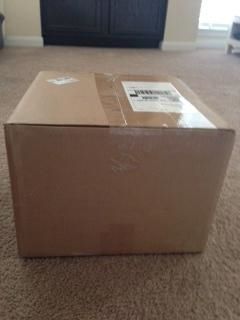 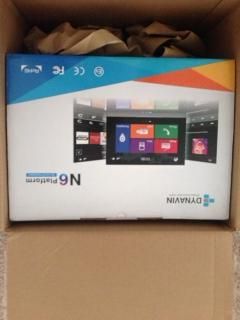 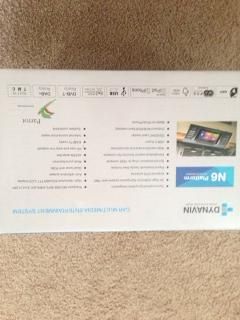 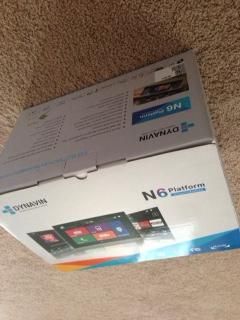 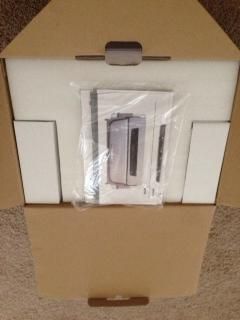 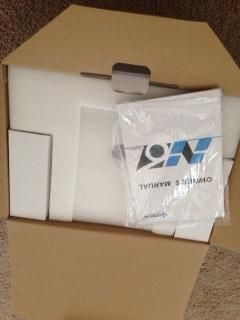 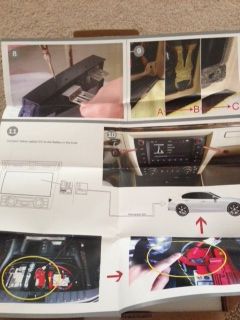 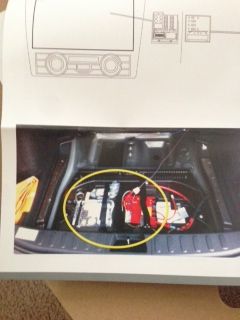 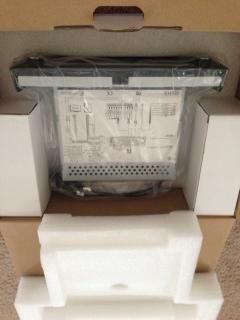 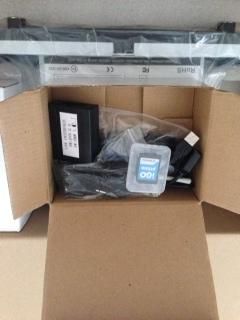 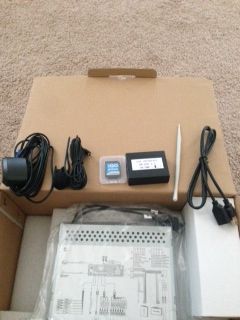 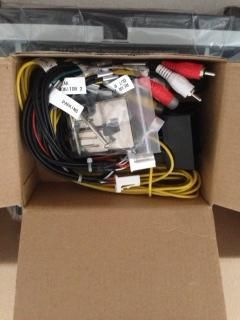 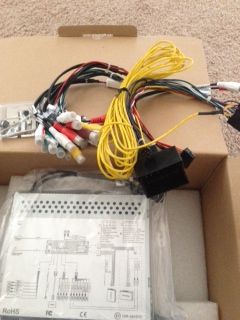 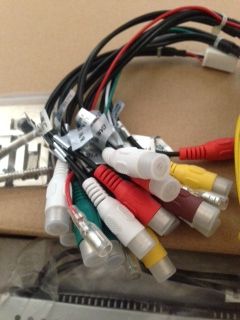 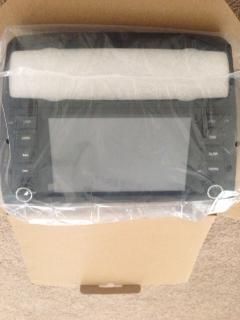 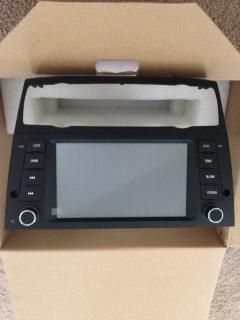 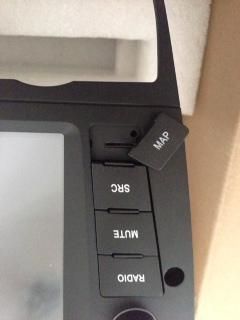 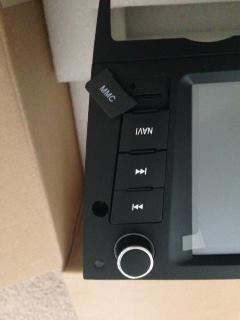 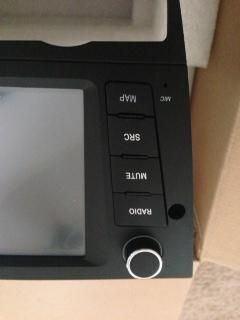 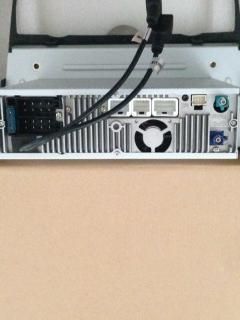 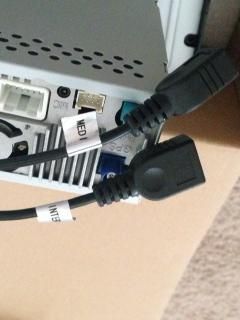 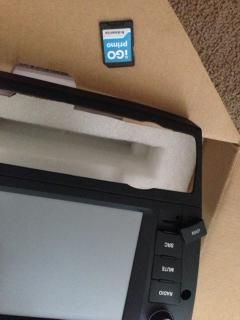 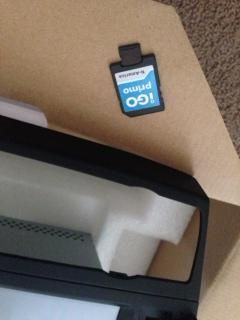 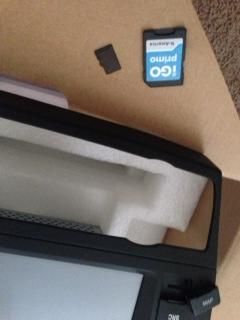 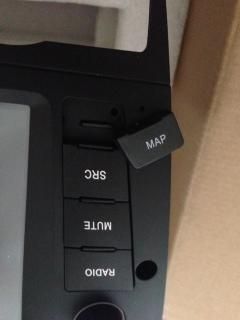 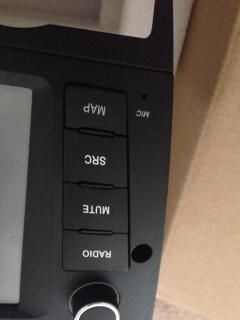 |
|
Appreciate
1
|
| 07-28-2014, 01:32 PM | #480 |
|
101
Rep 952
Posts |
Alright guys....I made one superthread with all the info in it: http://www.e90post.com/forums/showth...8#post16367768
Its going to take me a little while to get everything into it....get all the pics taken....and get it all edited down. But its been started. So this current thread will continue to be useful for those that want the history, but for those who want to just get right down to it, go to the new thread. And for anyone looking to ask questions about their install, post their own pics or experiences like nathan did above, please feel free to do so on the new thread. Thanks Last edited by jeffb335; 07-28-2014 at 06:33 PM.. |
|
Appreciate
0
|
| 07-28-2014, 06:56 PM | #482 |
|
New Member

11
Rep 26
Posts |
Here's a question for you all out there, so i'm close to 64GB of music on my computer and since buying this unit i figure i need to add more to my collection. Should i grab a 64GB Sd card or say screw it and grab a 256GB USB stick and use that??? Pros and cons of each side???
|
|
Appreciate
0
|
| 07-28-2014, 07:02 PM | #483 | |
|
101
Rep 952
Posts |
Quote:
 |
|
|
Appreciate
0
|
| 07-28-2014, 07:53 PM | #484 | ||
|
Lieutenant
60
Rep 420
Posts |
Quote:
|
||
|
Appreciate
0
|
 |
| Bookmarks |
|
|


